Website Conversion Tracking in Kenya: Complete Guide
A practical Kenya-focused guide to measuring completed website leads, WhatsApp and call interactions, bookings, ecommerce sales and downstream lead quality without mistaking clicks for customers.
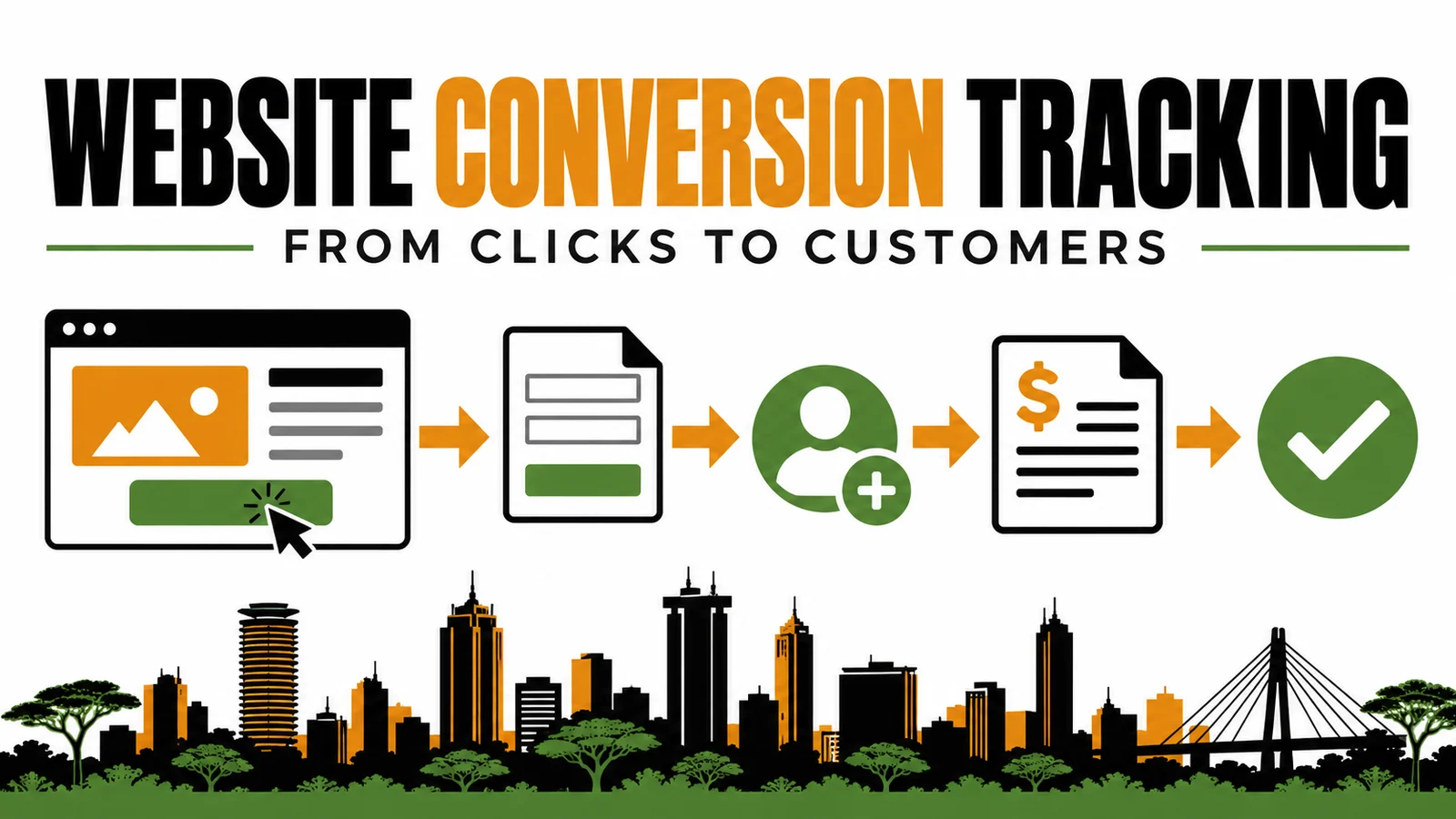
A website can report growing traffic while the business remains unable to answer a basic commercial question: which visits produced real enquiries, qualified opportunities and sales?
That gap is expensive. A Nairobi consultancy may count every WhatsApp tap as a lead even when no message is sent. A Mombasa ecommerce store may record purchases without reliable order values. A clinic in Kisumu may receive appointment requests, but analytics cannot show which campaign or landing page created them. Management then increases or cuts marketing budgets using incomplete evidence.
Website conversion tracking should connect a visitor's meaningful action to the business outcome that follows. It is not merely adding a tag or marking every button click as a conversion.
This guide explains how Kenyan businesses can design, implement, test and maintain a measurement system that distinguishes interest from completed leads, qualified leads and customers.
Quick answer
To track website conversions correctly, define the business outcome first, then map the customer journey from traffic source to completed action and downstream sales result. Use Google Tag Manager or a controlled tagging method to send consistent events into GA4. Record generate_lead only after a successful form submission or equivalent completed request, not when a visitor clicks the submit button. Track WhatsApp, calls and booking interactions separately unless completion can be verified. Connect lead records to a CRM or structured sales log so the business can distinguish submitted, qualified, quoted and closed leads.
Test every journey in Tag Manager Preview and GA4 DebugView before publishing. Repeat the test after website changes and compare analytics records with actual form, CRM, booking or order records.
Key takeaways
- Start with the business decision the data must support.
- Separate interactions from completed leads and completed leads from qualified leads.
- Use consistent event names and useful parameters across the website.
- Fire lead events only after the website confirms a successful action.
- Preserve source and campaign information through forms, bookings and CRM handoffs.
- Test analytics and operational delivery together.
- Reconcile platform events with actual enquiries, orders and sales records.
- Collect only the data required for measurement and protect personal information.
- Assign one owner for tracking changes, documentation and recurring QA.
1. What website conversion tracking should measure
Conversion tracking measures actions that move a potential customer toward a business outcome. The action may happen on the website, through a connected platform or later in the sales process.
The correct conversion depends on the business model:
| Business | Useful website action | Stronger downstream outcome |
|---|---|---|
| Professional service | completed consultation or quote form | qualified opportunity or signed engagement |
| Clinic | confirmed appointment request | attended appointment |
| School or training provider | completed course enquiry | accepted enrolment or paid registration |
| Ecommerce store | completed purchase | paid, non-cancelled order |
| Property company | completed viewing request | qualified buyer or tenant meeting |
| B2B supplier | completed quotation request | accepted quotation or purchase order |
A page view, scroll, brochure download or WhatsApp click may be valuable, but it is not automatically a commercial conversion. Treat these as engagement or micro-conversion signals unless they reliably represent the result the business needs.
Conversion tracking is a chain
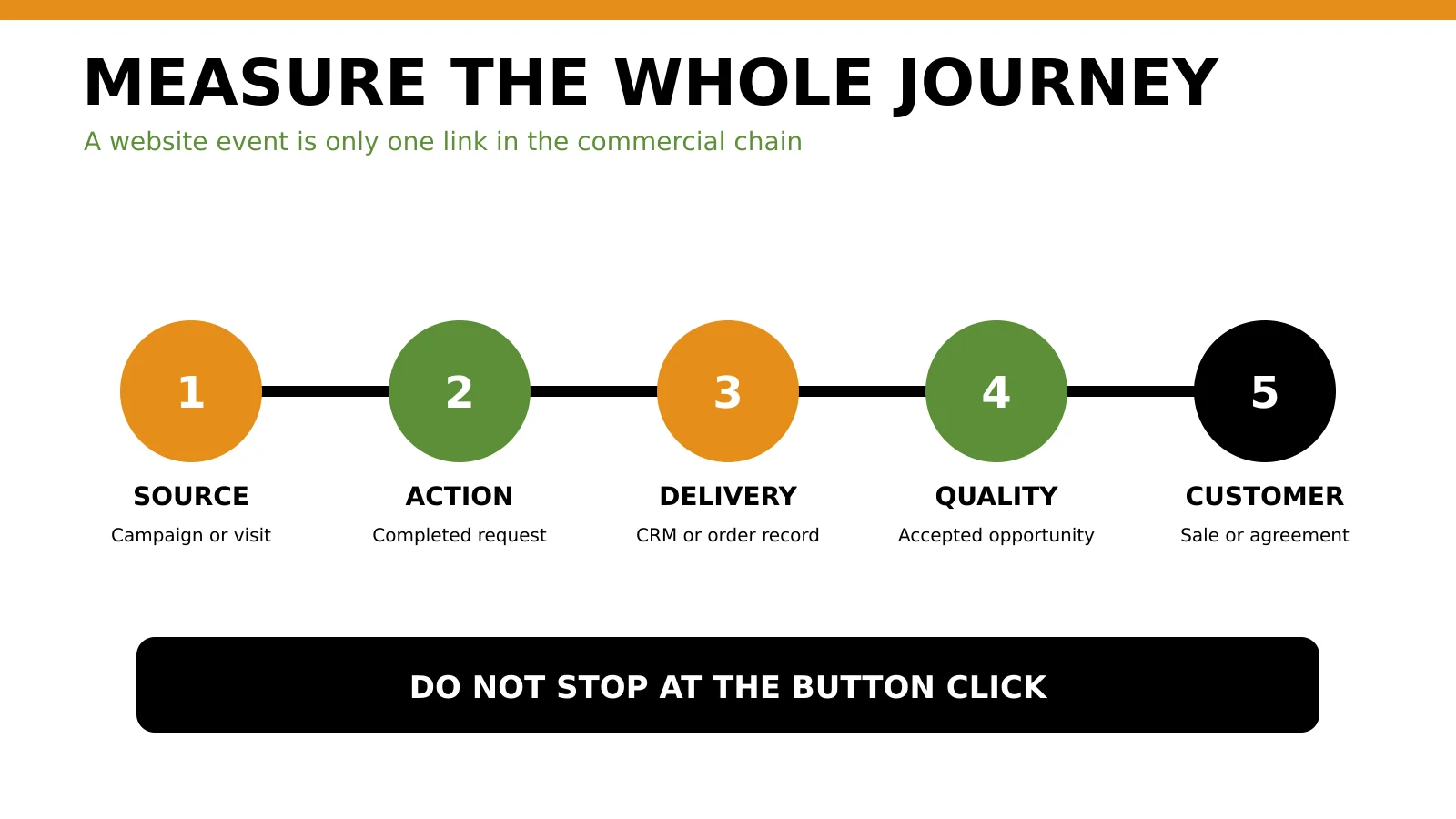
A trustworthy system connects five layers:
- Acquisition: how the visitor arrived, including source, medium and campaign.
- Experience: which page and journey the visitor used.
- Action: what the visitor completed.
- Operations: whether the enquiry, booking or order reached the business.
- Outcome: whether the lead was qualified, quoted, won or lost.
If any layer breaks, the report can become misleading. A marketing dashboard may record a form event while the email notification fails. The platform sees a conversion, but sales sees nothing.
Use Tabala's 360 Digital Growth Diagnostic when traffic, conversion and sales evidence do not agree.
2. Build a measurement plan before installing tags
Do not begin with a list of tags. Begin with the questions the business must answer.
Examples include:
- Which services generate qualified enquiries?
- Which landing pages create completed forms rather than button clicks?
- Which campaigns produce accepted leads or sales?
- Do mobile visitors complete the same journeys as desktop visitors?
- How many enquiries fail between the website and the sales team?
- Which locations produce customers the business can genuinely serve?
Create a conversion specification
For each important action, document:
- business name for the outcome;
- event name;
- exact trigger condition;
- page or component where it occurs;
- parameters to collect;
- whether it should be a GA4 key event;
- destination platforms;
- operational evidence required;
- owner and test date.
| Outcome | Event | Fire when | Do not fire when | Evidence |
|---|---|---|---|---|
| Quote request | generate_lead |
server or interface confirms successful submission | submit button is clicked | stored form record and delivery confirmation |
| Phone interest | click_phone |
visitor taps a phone link | number is only viewed | click record; call outcome where available |
| WhatsApp interest | click_whatsapp |
visitor opens the intended WhatsApp destination | icon appears on screen | click record; conversation outcome separately |
| Booking | book_appointment |
booking platform confirms the appointment | calendar widget opens | booking reference |
| Purchase | purchase |
order is successfully created with transaction data | checkout starts | unique order or transaction record |
Do not reuse one vague event such as conversion for every action. The name should help an analyst understand what happened without reopening the implementation.
3. Choose conversion stages and event names
For lead-generation businesses, one website event cannot describe the entire sales process.
Google's recommended GA4 events include generate_lead for a submitted form or request for information and events such as qualify_lead for a lead that meets the business's criteria. Using recommended names can support more consistent reporting, but the trigger must still match the real action.
A practical lead-stage model
| Stage | Meaning | Typical system |
|---|---|---|
| Interaction | visitor taps, opens or starts an action | website analytics |
| Submitted lead | website or connected platform accepts the request | form, booking or chat system |
| Delivered lead | request reaches the intended destination | inbox, CRM or database |
| Qualified lead | sales confirms fit, need and ability to proceed | CRM or sales log |
| Quotation or opportunity | commercial next step is created | CRM, accounting or proposal system |
| Customer | sale or agreement is completed | CRM, ecommerce or finance record |
Mark only events that matter to business success as GA4 key events. Marking every interaction can inflate reported performance and weaken decision-making.
Add useful parameters
Useful parameters may include:
- form or journey identifier;
- service category;
- page path;
- lead method, such as form, WhatsApp, phone or booking;
- location selected by the visitor;
- campaign identifiers where permitted;
- value and currency for monetary outcomes;
- transaction ID for purchases.
Do not send names, phone numbers, email addresses or other personal data into GA4 as event parameters.
4. Track website forms correctly
Forms are the most common source of false conversions.
A submit-button click does not prove that the form was accepted. Validation may fail. A network request may time out. Spam protection may block the submission. The website may show a success message while the backend fails to store or send the lead.
Preferred trigger order
Use the strongest confirmation the system can provide:
- successful server response tied to the submission;
- application event emitted after the form is accepted;
- unique confirmation or thank-you page reached only after success;
- visible success message, if it appears exclusively after confirmed acceptance;
- submit click only as an interaction event, never as proof of a completed lead.
For multi-step forms, track useful diagnostic steps separately, such as form_start, form_step_complete and form_error. The main lead event should still fire once, after successful completion.
Prevent duplicate leads
Duplicate events can occur when:
- a thank-you page is refreshed;
- both the form plugin and Tag Manager send the same event;
- multiple triggers match one submission;
- a single-page application repeats its success state;
- browser retries or scripts fire twice;
- the same event is imported into another platform through more than one route.
Where possible, use a unique submission or lead reference to identify duplicates. Never place a customer's personal details inside that reference.
If the site is being rebuilt or repaired, review Tabala's conversion-focused website development services in Nairobi so form delivery, storage and measurement are designed together.
5. Track WhatsApp, calls and bookings
Kenyan customer journeys often leave the website before the commercial conversation is complete. That makes channel definitions important.
A WhatsApp button click shows intent to open a conversation. It does not prove that the person sent a message, received a response or became a qualified lead.
Track the website interaction as click_whatsapp, with parameters such as page path, service and button placement. Record the conversation and lead outcome in the system used by the sales team. If WhatsApp Business, a CRM or an approved integration provides a reliable conversation event, keep it separate from the website click.
Use a useful prefilled message where appropriate, but do not place sensitive customer information in the URL.
Phone calls
Track taps on tel: links as phone interactions. If call tracking is used, document number replacement, call-duration rules, location coverage, consent implications and the connection between a tracked call and a real customer record.
Do not assume every tap became a connected call. Sales should record whether the call was answered and qualified.
Booking systems
Track the confirmed booking, not merely the opening of the calendar. Preserve the booking reference, service and appropriate value in the operational system. If the booking happens on another domain, configure the journey carefully so the visitor's source is not replaced by a referral from the booking platform.
The mobile SEO and conversion guide provides additional acceptance criteria for tap targets, forms and mobile journeys.
6. Track ecommerce and payments
For ecommerce, the main purchase event should represent a confirmed order and include accurate transaction data.
Typical fields include:
- transaction ID;
- order value;
- currency, such as KES;
- products or items;
- coupon where relevant;
- shipping and tax where supported by the implementation.
The transaction ID is essential for deduplication. Do not generate a new ID each time the confirmation page loads.
Payment completion needs an operational check
A website may create an order before mobile-money or card payment completes. Decide which state the analytics purchase event represents:
- order created;
- payment authorized;
- payment confirmed;
- order fulfilled.
The definition should match the decision the report supports. If management evaluates revenue, unpaid or cancelled orders should not be treated as equivalent to collected revenue.
Record refunds and cancellations in the commerce or finance system. Analytics is useful for journey analysis, but the financial system remains the authority for recognized revenue.
7. Preserve traffic-source and campaign data
Conversion tracking is incomplete if the business cannot connect the action to its source.
Use consistent UTM parameters for campaigns outside platforms with reliable automatic tagging. Define a naming convention for source, medium, campaign and content. Avoid changing capitalization or labels between teams, because Facebook, facebook and fb may appear as separate values.
Preserve attribution through the journey
Check whether source information survives:
- navigation between landing pages and forms;
- cross-domain booking or payment journeys;
- redirects;
- embedded forms;
- CRM creation;
- email or WhatsApp follow-up;
- offline qualification and sale stages.
Do not place personal data in UTM parameters. URLs may be stored in browser history, analytics tools, server logs and shared screenshots.
If paid traffic is part of the journey, Tabala's Google Ads landing-page guide explains how message match and destination design affect the actions being measured.
8. Connect analytics to lead quality and revenue
Website analytics can report that a lead event occurred. It cannot decide whether the lead was valuable without business feedback.
Create a lead-status process with clear definitions:
- new;
- contacted;
- qualified;
- disqualified, with a controlled reason;
- quotation sent;
- won;
- lost, with a controlled reason.
Each lead should retain the relevant website and campaign context without copying unnecessary personal data into marketing tools.
Reconcile systems regularly
At least monthly, compare:
| System | Question |
|---|---|
| GA4 | How many completed lead or purchase events were recorded? |
| Website or form database | How many valid submissions were stored? |
| Inbox or CRM | How many leads were received and assigned? |
| Sales records | How many were qualified, quoted and won? |
| Finance or ecommerce | How much confirmed revenue was recorded? |
Large gaps need investigation. A high event count with few stored submissions suggests duplicate or premature firing. Many stored leads with fewer analytics events may indicate consent, script, browser or implementation loss. Many leads with few qualified opportunities may indicate traffic or offer quality rather than a tracking failure.
For Google Ads-specific implementation, use the Google Ads conversion-tracking checklist for Kenya. Keep the channel-specific import, enhanced conversion and bidding decisions on that page rather than duplicating them here.
9. Implement with GA4 and Google Tag Manager
The exact implementation depends on the website platform, but the architecture should remain controlled.
Recommended implementation sequence
- Confirm the GA4 property, web stream and Google tag ownership.
- Confirm whether Google Tag Manager or direct tagging is the controlled source.
- Remove duplicate or abandoned installations.
- Define a data-layer event or equivalent success signal for each completed action.
- Create GA4 event tags using consistent names and parameters.
- Mark only the appropriate events as key events.
- Connect relevant advertising platforms after the website event is reliable.
- document the container, triggers, variables, destinations and owners.
- publish through a versioned change process.
Avoid installing separate plugins and scripts for every platform without an inventory. Multiple tags can slow the site, create duplicates and make consent behaviour difficult to control.
Example data-layer pattern
After the website confirms a valid enquiry, the application can emit a structured event such as:
<script>
window.dataLayer = window.dataLayer || [];
window.dataLayer.push({
  event: 'lead_submitted',
  form_id: 'website_project_enquiry',
  service: 'website_development',
  lead_method: 'form'
});
</script>
Tag Manager can use lead_submitted as the trigger and send generate_lead to GA4. The example deliberately excludes personal information.
Review the technical SEO checklist for Kenyan websites when tagging or plugin changes could affect performance, page rendering or crawl behaviour.
10. Test before publishing
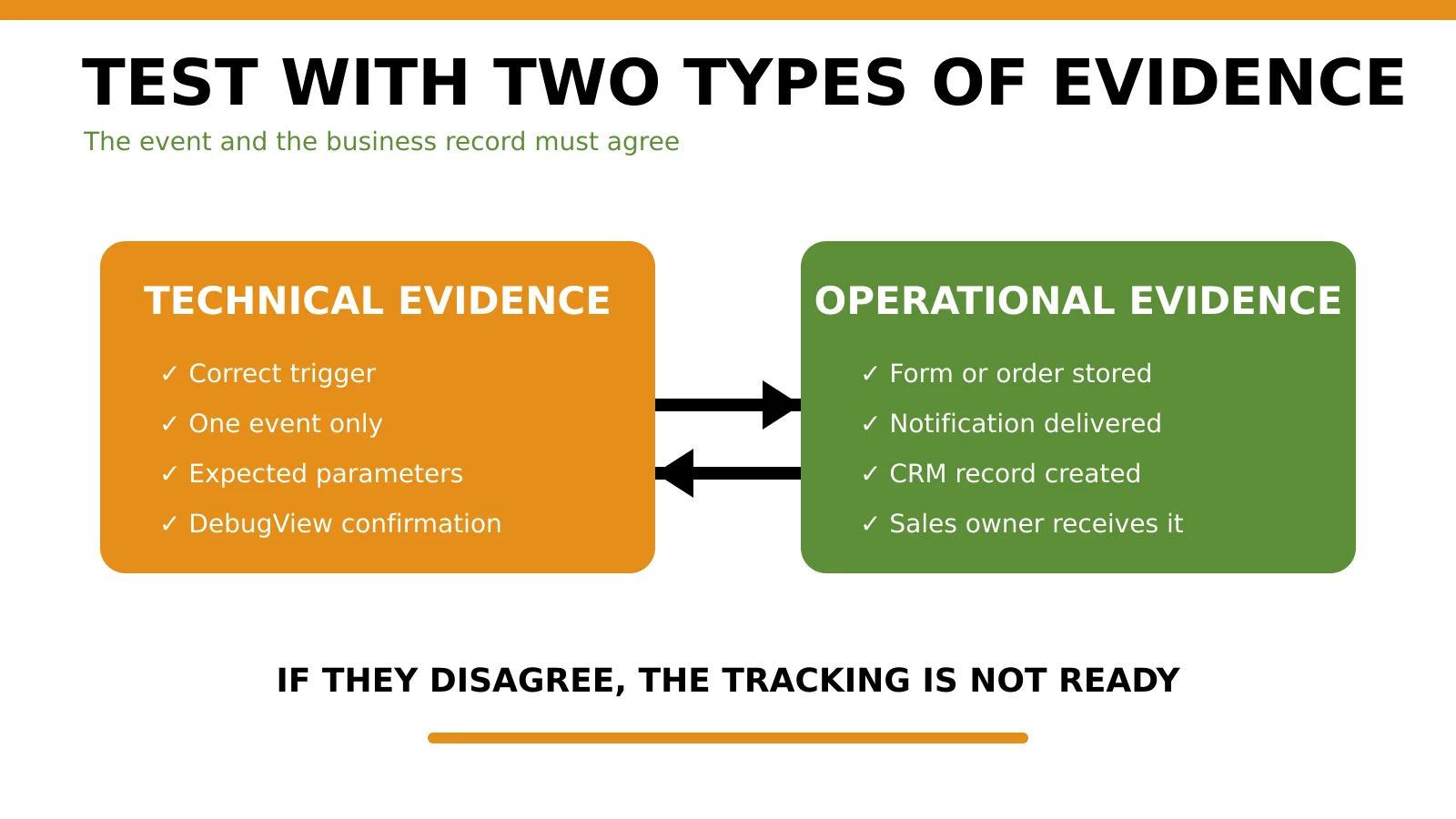
Google Tag Manager's Preview and Debug mode allows a team to test a container draft before it is published. GA4 DebugView displays collected events and user properties in real time for troubleshooting.
Use both technical and operational evidence.
Minimum test matrix
| Test | Technical evidence | Operational evidence |
|---|---|---|
| Valid form submission | one correct event with expected parameters | record stored and delivered |
| Invalid form | no lead event | clear validation error |
| Repeated click | no duplicate completed lead | one stored record |
| interaction event once | correct destination and context | |
| Call link | interaction event once | correct number opens |
| Booking | confirmed-booking event | booking reference created |
| Purchase | one purchase with value, KES and transaction ID | matching order and payment state |
| Mobile journey | correct event on real phone | action completes without obstruction |
Test on production only with clearly labelled test records and a cleanup process. Never use a real customer's personal information for QA.
Verify after publishing
After the container or website change goes live:
- repeat the highest-value journeys;
- confirm events in Realtime and standard reporting after normal processing;
- check advertising-platform imports where applicable;
- compare events with stored records;
- monitor duplicates, sudden drops and unexpected referral sources;
- record the version, date, tester and evidence.
11. Protect privacy and data quality
Website tracking can involve online identifiers, campaign information and data connected to enquiries or customers. The Kenya Data Protection Act provides the national legal framework for processing personal data. The appropriate controls depend on what is collected, why it is collected, the technologies used and the risk involved.
At minimum:
- document each tracking technology and purpose;
- collect only data needed for the defined purpose;
- keep personal data out of analytics URLs and event parameters;
- make privacy information accurate and accessible;
- configure consent behaviour to match actual tags;
- restrict access to analytics, Tag Manager and CRM accounts;
- review third-party plugins and processors;
- define retention and deletion responsibilities;
- use test data during QA;
- seek legal or data-protection advice for higher-risk processing.
Do not implement a consent banner that is visually present but technically disconnected from the tags it claims to control.
12. Diagnose common tracking failures
Conversions suddenly drop to zero
Check recent releases, container publication, consent changes, form updates, thank-you routes, script errors and property identifiers. Confirm whether real enquiries also declined before assuming marketing performance collapsed.
Conversions suddenly double
Check for duplicate GA4 installations, two tags using the same trigger, plugin plus Tag Manager duplication, thank-you-page refreshes and repeated application events.
GA4 records leads but sales receives nothing
The event may fire before acceptance, or the form delivery and CRM handoff may be broken. Test storage, notification, assignment and spam controls from end to end.
WhatsApp conversions are much higher than conversations
The implementation is probably counting clicks, not sent messages or accepted leads. Rename the event as an interaction and measure conversation outcomes separately.
Most leads show as direct traffic
Check campaign tagging, cross-domain settings, redirects, referral exclusions, cookie or consent behaviour and whether source information reaches the form or CRM.
Reports show leads but no one knows lead quality
Create controlled sales stages and assign ownership. Tracking is incomplete until the marketing event can be compared with qualification and commercial outcomes.
The Google Ads mistakes guide explains how weak measurement signals can distort paid-media decisions.
13. Website conversion-tracking checklist
Strategy
Implementation
Testing
Governance
14. Frequently asked questions
What counts as a website conversion?
A conversion is an action important to the business, such as a completed enquiry, confirmed booking or purchase. Supporting actions such as scrolls, downloads and button clicks can be tracked, but they should not automatically be treated as primary commercial outcomes.
Should a WhatsApp click count as a lead?
Usually it should count as an interaction because the click does not prove a message was sent or accepted. Track the website click separately and use conversation or CRM records to determine whether a lead was created and qualified.
Should we use GA4 or Google Tag Manager?
They perform different roles. GA4 stores and reports event data. Google Tag Manager can manage and deploy tags and triggers. A site may use GA4 directly or through Tag Manager, but the architecture should be documented and free from duplicate installations.
What is the difference between an event and a key event in GA4?
An event records an interaction or occurrence. A key event is an event marked as particularly important to business success. Not every event should be marked as a key event.
Why does GA4 show more leads than our CRM?
Common causes include premature firing on clicks, duplicate tags, repeat thank-you-page loads, blocked CRM delivery, spam or different definitions. Test one controlled submission and compare the event, stored record, notification and CRM entry.
Can conversion tracking work without a CRM?
Yes, but downstream analysis will be limited. A structured spreadsheet or lead register can temporarily record submitted, qualified, quoted and won stages. The process needs consistent identifiers, owners and definitions.
How often should conversion tracking be tested?
Test before initial publication, after any website, form, plugin, consent or tag change, and through recurring QA. High-value ecommerce and lead journeys should also be reconciled against operational records every month.
Does conversion tracking need consent?
The answer depends on the technologies, data, purpose and applicable obligations. Document the processing, configure consent controls accurately and obtain professional advice where risk or uncertainty is material.
15. Summary and next step
Useful conversion tracking does not begin with a dashboard. It begins with a commercial definition.
A Kenyan business should be able to explain:
- which action represents a completed conversion;
- how the website confirms that action;
- whether the enquiry, booking or order reached the business;
- whether the lead became qualified, quoted or won;
- which source and journey contributed to the result.
If the numbers cannot survive that chain, they are not ready to guide budget decisions.
Run the 360 Digital Growth Diagnostic to identify whether the main constraint is website conversion, tracking, traffic quality or sales follow-up. If the problem is isolated to paid search measurement, use Tabala's Google Ads profitability audit for a channel-specific review.
Accelerate Your Revenue
While Revenue Intelligence builds long-term authority, Google Ads delivers immediate, high-intent traffic. Combine both for maximum market dominance.

Strategist Profile
Abala Tom
Digital systems strategist specializing in high-performance SEO, Google Ads, and conversion optimization. Mission: to replace marketing 'guesswork' with predictable revenue systems.