How to Fix Google Merchant Center Suspensions in Kenya Fast
Fix your Google Merchant Center suspension fast. Learn the exact steps Kenyan stores use to get reinstated and recover lost sales quickly.
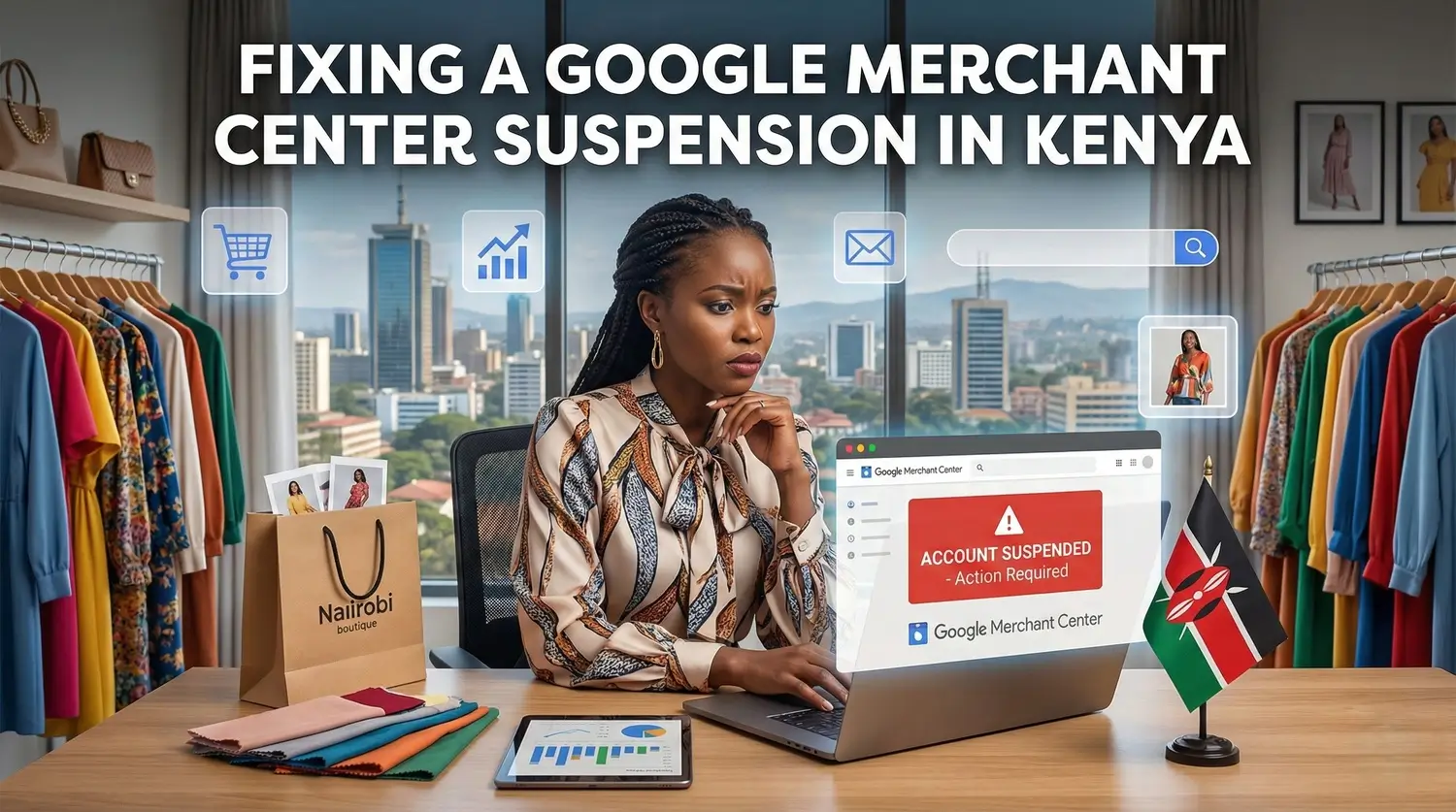
A Real Nairobi Store’s Journey to Fixing a Google Merchant Center Suspension
Last week, a Nairobi fashion store owner contacted me in panic after her Google Merchant Center (GMC) account was suspended for Misrepresentation.
Overnight, all her Performance Max and Shopping campaigns stopped delivering, and her online revenue dropped from KSh 100,000 to under KSh 15,000.
She had no idea what caused it.
After auditing her website, the issues were surprisingly simple: no visible delivery timelines, watermarked supplier images, and a price mismatch between her product feed and landing pages.
Once we corrected these inconsistencies, Google reinstated her Merchant Center account within 24 hours. This was a clear reminder that even small transparency gaps can trigger a full shutdown.

Many Kenyan e-commerce businesses face the same sudden interruptions, but the good news is that Merchant Center suspensions are fully recoverable when handled correctly.
This guide outlines the step-by-step process I use to help Kenyan businesses recover their Merchant Center accounts quickly and securely, ensuring full compliance with Google policies.
Follow the instructions below to resolve any issues and restore your account with confidence.
What a Google Merchant Center Suspension Means for Kenyan Stores
A Google Merchant Center suspension means Google believes your website or product data violates its Shopping policies. These rules are designed to protect users from misleading, low-quality, or unsafe online stores.
Once suspended:

-
Your products disappear from Google Shopping
-
Google Ads campaigns stop running as your account also gets suspended
-
New products stop getting approved
-
Sales often drop instantly, sometimes within hours
Most suspensions are temporary once the core issues are fixed.
Is your store facing a suspension?
Don’t let your sales drop. Our team can help you quickly restore your Merchant Center account.
Quick Fix Checklist for Google Merchant Center Suspensions in Kenya
Want your account reinstated quickly? Start with the issues that matter most and confirm each item below:
✅ Policy Pages
Ensure your refund, return, privacy, and shipping policies are complete, visible, and easily accessible.
✅ Pricing and Availability Mismatches
Your feed prices, website prices, and stock levels must match exactly.
✅ Watermarked Images
Remove watermarked supplier images, low-resolution photos, and images from unofficial sources (such as WhatsApp groups or social media).
✅ Delivery Timelines
Clearly display Nairobi same-day/next-day delivery and realistic upcountry delivery times.
✅ Visible Contact Information
Provide a working phone number, email, and physical location or pickup point that Google can verify.
✅ About Us Page
Demonstrate that your business is authentic, local, and trustworthy, especially if based in Nairobi or other major cities.
✅ VAT Consistency
Ensure your VAT details are correct and consistent across your website, product feed, and invoices.
✅ M-Pesa Transparency
Display clear payment instructions, including Till/Paybill numbers and any applicable fees, to avoid customer confusion and complaints.
Common Google Merchant Center Suspension Causes for Kenyan Stores
Google flags both global and Kenya-specific issues that often lead to account suspensions. Understanding these can help you identify and resolve them quickly.

Global GMC Suspension Causes
-
Misrepresentation – unclear or misleading business information.
-
Missing policy pages – refund, return, shipping, or privacy policies must be complete and visible.
-
Missing contact information – email, phone, or physical address not available to customers.
-
Slow or low-quality websites – Google expects fast and reliable sites.
-
Broken checkout – incomplete or error-prone purchase process.
-
Restricted product types – products not allowed on Google Shopping.
-
Pricing or availability mismatches – your product feed and website must match exactly.
Kenya-Specific Triggers
-
Missing SKU or variant data – especially common in fashion stores with multiple sizes or colors.
-
Unverified domain ownership – New stores may fail Google's domain verification process, leading to a suspension.
-
CMS auto discounts are causing mismatches – Shopify or other apps can create pricing inconsistencies.
-
KES vs USD price issues – currency mismatches between your website and product feed.
-
Weak business identity – missing About page, inconsistent branding, or unclear contact info.
-
Slow hosting – cheap or overloaded servers can trigger “Website Needs Improvement.”
Types of Google Merchant Center Suspensions Explained
Knowing your suspension type helps you focus on the right fixes and get reinstated faster.
| Suspension Type | Description | Example |
|---|---|---|
| Product-level Disapproval | Only specific products are removed while the rest of your catalog stays active. This usually happens due to missing attributes, restricted content, or inaccurate information. | A Nairobi electronics shop had several phones disapproved because their GTINs were missing, even though the rest of their catalog continued running. |
| Account-level Suspension | Your entire Merchant Center account is paused, which halts all campaigns and approvals. This happens when Google detects serious or repeated violations. | A fashion store in Westlands received a full suspension after Google repeatedly flagged price mismatches across multiple products. |
| Misrepresentation | Google believes your store, products, or policies are unclear, misleading, or untrustworthy. This can include hidden fees, misleading claims, or incorrect business details. | A cosmetics seller was suspended for misrepresentation after advertising KSh 0 shipping on product pages but charging KSh 300 at checkout. |
| Website Needs Improvement | Your site does not meet Google’s minimum quality standards. Issues include slow page speed, poor design, missing trust signals, or incomplete policy pages. | A retailer in Mombasa was suspended because their refund policy link was broken, and several pages loaded slowly on mobile. |
| Unacceptable Business Practices | Google detects severe violations such as selling counterfeit products, fraud, or scam-like behavior. This is one of the most serious suspension types. | A store was permanently banned after Google confirmed that its “original designer perfumes” were actually counterfeits shipped from an unverified supplier. |
| Data Feed Issues | Previously known as automatic feed suspension, this occurs when your product data contains errors such as pricing mismatches, invalid GTINs, or missing attributes. | A home décor shop was suspended because several of the prices in its feed were lower than those on the website, triggering Google’s mismatch policy. |
Step-by-Step: How to Fix a Google Merchant Center Suspension in Kenya
Follow this guide to resolve most GMC suspensions. Suitable whether you manage your own ads or work with a Google Ads agency.

1. Identify the Suspension Reason
Go to Overview in Merchant Center and check for flags like:
-
Misrepresentation
-
Website issues
-
Inaccurate product data
-
Disapproved items
Tip: Take a screenshot of the page for your reinstatement appeal.
Estimated Time: 15–30 minutes (for smaller sites; larger sites may take longer)
2. Boost Website Trust & Transparency
Ensure your site signals credibility to Google and customers:
-
Mandatory Policies: Refund, Return, Shipping, Terms & Conditions, Privacy
-
Contact Details: Email, phone, physical address
-
Kenya-Specific Trust Signals: M-Pesa payment options, About Us page
Tip: Add policy links to your footer for easy access.
Estimated Time: 1–2 hours
3. Fix Product Feed Issues
Correct discrepancies between your feed and website:
-
Pricing Issues: Match prices and include VAT
-
Images: Remove watermarks, texts, logos, or low-quality images
-
Titles & Descriptions: Clear, accurate, no keyword stuffing
Pro Tip: Update your feed after major website changes.
Estimated Time: 2–4 hours (depending on catalog size)
4. Align All Platforms
Ensure consistency across:
-
Website
-
Product feed
-
Structured data
-
Merchant Center
-
Google Ads
Even small mismatches can trigger suspensions.
Estimated Time: 1–2 hours
5. Strengthen Your Business Identity
Ensure uniformity in:
-
Store name and logo
-
Policies
-
Address and contact email
Consistency builds trust with Google and customers.
Estimated Time: 30–60 minutes
6. Submit Your Reinstatement Request
Go to Help Center & Support and include:
-
Cause of the suspension
-
Steps taken to fix the issues
-
Links to updated pages and screenshots
Tip: Keep your appeal brief, factual, and professional. Avoid blaming Google.
Sample Appeal Template:
Subject: Request for Google Merchant Center Reinstatement
Message:
Hello Google Support,
Our Merchant Center account [Account ID] was suspended due to [suspension reason]. We have taken the following corrective steps:
-
Updated all policies to be complete and visible
-
Corrected product feed prices and VAT details
-
Replaced low-quality and unclear product images
-
Verified business identity and contact details
All discrepancies have been resolved, and our store is now fully compliant with Google Merchant Center policies. Please review our account for reinstatement.
Thank you,
[Your Name / Store Name]
Estimated Time: 15–30 minutes
7. Wait for Review
Google typically reviews reinstatement requests within 2–7 business days, with Kenyan stores averaging 3–5 days.
While waiting, double-check your feed and website for new issues.
Why Most DIY Google Merchant Center Fixes Fail in Kenya
Many Kenyan shop owners try to fix Merchant Center issues themselves, but the platform is stricter than it appears.
Common DIY mistakes:
-
Only surface-level fixes are made, while deeper issues that Google checks behind the scenes remain untouched.
-
CMS apps or store plugins silently modify pricing, causing instant mismatches between the site and feed.
-
Website updates are applied without updating the product feed, so Google detects outdated data.
-
Supplier or dropshipping images get flagged, even when everything else seems correct.
-
Misrepresentation is often misunderstood, referring to missing trust signals rather than dishonesty.
-
Appeal messages are vague or emotional, failing to list clear corrective actions.
Client Story:
A Nairobi electronics store owner spent three weeks trying to fix his suspension by updating policies, replacing images, and adjusting prices.
But it wasn't until he addressed hidden CMS pricing rules that his account was reinstated, just 48 hours after professional help stepped in.
Key Lesson:
Even one small inconsistency can trigger another rejection and extend a suspension unnecessarily. Professional guidance ensures every technical and hidden issue is addressed so you can restore your account quickly and avoid further suspensions.
Google Merchant Center Reinstatement Timelines and Notifications in Kenya
Most e-commerce stores are reinstated once Google confirms that all issues have been fully resolved. Your timeline depends on how complete your fixes are and how clearly you explain them in your reinstatement request.
Typical Reinstatement Timeline
-
Under 48 hours for clean, well-prepared appeals with all issues correctly fixed
-
3 to 5 business days for the average Kenyan store
-
Up to 7 business days for standard reviews requiring detailed verification
The cleaner your website, product feed, and policy updates, the faster Google approves your account.
How Google Notifies You
Google can notify you through multiple channels:
-
Email notifications sent to the primary account owner
-
Google Ads alerts, especially if campaigns stop delivering suddenly
-
Merchant Center warnings under Overview
Tip: Google doesn’t always send an email. Many Kenyan store owners first notice a suspension when products disappear, or impressions drop to zero. Regularly checking your products page is essential.
How to Check if Your Review Is Progressing
-
Log in to Merchant Center
-
Go to Account Issues or Overview
-
Look for status updates such as “Under Review” or “Submitted”
-
Check for any Google messages requesting clarification

How to Respond if Google Denies Your Request
-
Review Google’s denial message carefully to identify specific issues (e.g., missing policies, inaccurate pricing, or incorrect feed data) and resolve them before reappealing.
-
Correct all problems, including hidden or technical discrepancies.
-
Prepare a clear, factual appeal listing all corrective actions.
-
Resubmit via the Help Center & Support portal.
Tip: Avoid vague or emotional appeals. Google reinstates accounts faster when all fixes are documented and supporting evidence is provided.
How to Avoid Future Google Merchant Center Suspensions
To maintain your Merchant Center account’s long-term health, focus on consistency and transparency:
-
Keep all policy pages updated and easy to find
-
Use clean text and text-free images for every product
-
Maintain consistent pricing across your website, feed, and structured data
-
Avoid restricted or unsupported items
-
Use fast, reliable hosting so Google can crawl your site without errors
-
Add clear delivery timelines for Kenya, including Nairobi, major towns, and remote areas
-
Keep your business information consistent, including store name, branding, contacts, and policies
Example: A Nairobi fashion store avoided suspension by adding delivery timelines for Mombasa and Kisumu, ensuring Google saw a trustworthy, transparent operation.
Following these steps can prevent over 90% of Merchant Center suspensions for Kenyan stores and keep your ads running smoothly.
Want to keep your account healthy long-term?
Our team can implement a robust strategy to prevent future suspensions. Contact us today for ongoing support.
Fast Merchant Center Suspension Help for Kenyan Businesses
If your Merchant Center account has been suspended, we can help you get back online quickly and professionally.

What You Get:
-
Full Website & Feed Compliance Audit
-
Pricing & Availability Mismatch Fixes
-
A Professionally Written Reinstatement Appeal
Tabala Digital Solutions has successfully reinstated over 200 Merchant Center accounts in Kenya since 2022, and we’re confident we can help you too.
Request a free audit today to assess your Merchant Center health risk-free.
If your store is losing sales due to a suspension, let us handle the technical fixes, policy compliance, and appeals so you can focus on what matters.
FAQ: Key Questions About Google Merchant Center Suspensions
Everything Kenyan store owners need to know about Google Merchant Center suspensions, reasons for suspension, reinstatement timelines, and how to prevent future issues.
- Authentic images supplier images
- Pricing mismatches
- Missing delivery timelines
- Weak business identity signals
- Provide clear and accessible policies
- Display visible contact information
- Ensure accurate pricing
- Keep product data consistent across platforms
- Build a trustworthy and professional business identity
- Merchant Center alerts
- Google Ads notifications
- Maintain consistent pricing across your store and feed
- Keep your policies updated and accessible
- Use clear, unoriginal product images
- Ensure your feed data matches your website information
Accelerate Your Revenue
While Revenue Intelligence builds long-term authority, Google Ads delivers immediate, high-intent traffic. Combine both for maximum market dominance.

Strategist Profile
Abala Tom
Digital systems strategist specializing in high-performance SEO, Google Ads, and conversion optimization. Mission: to replace marketing 'guesswork' with predictable revenue systems.